Search Console's Generative AI Report: What It Shows and What It Doesn't
A plain guide to Search Console's Generative AI performance report: what the impressions mean, what is missing, and how to read them without double-counting.
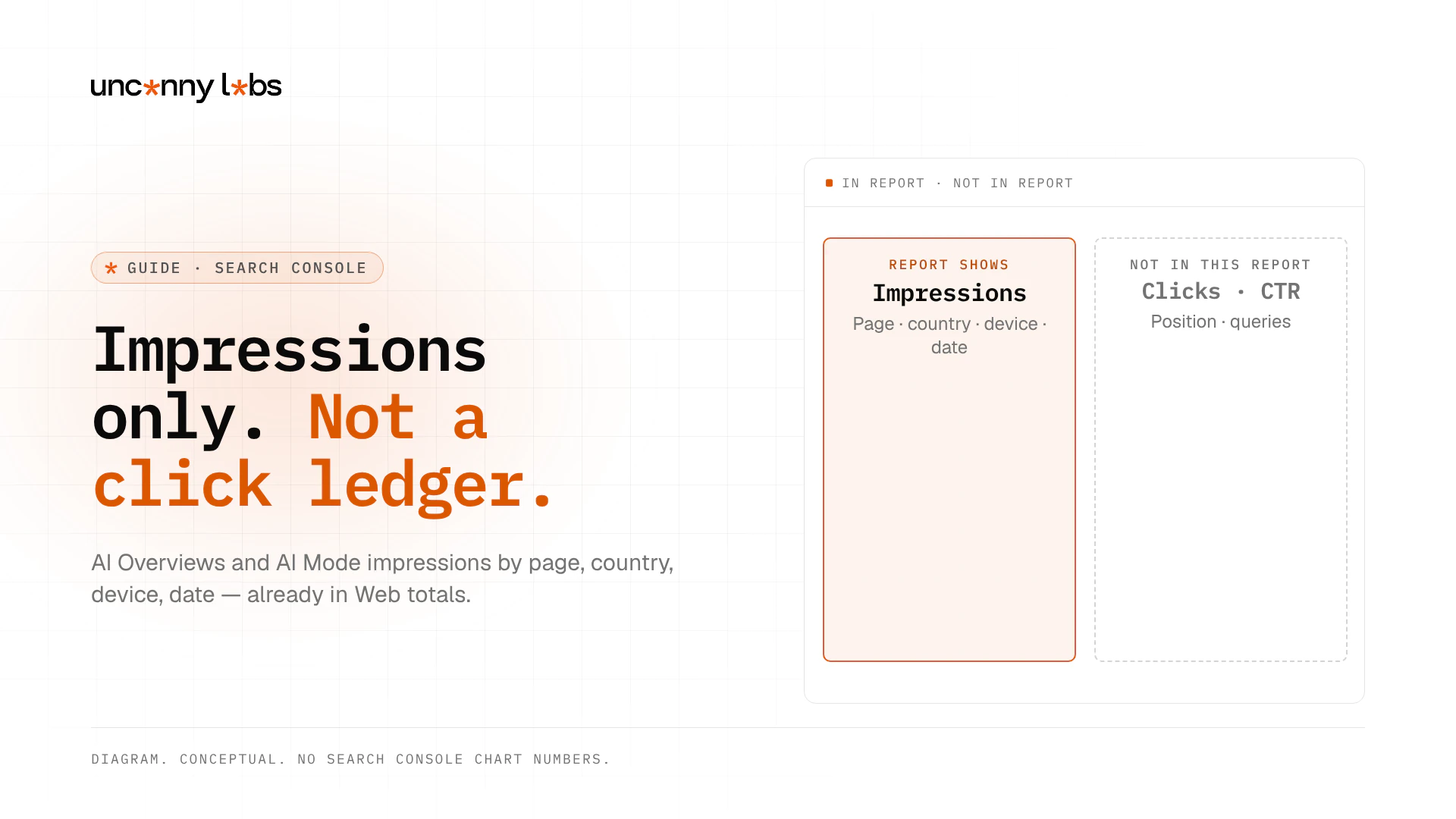
Search Console's Generative AI performance report (Search) shows how often links to your site appeared in AI Overviews and AI Mode: impressions by page, country, date, and device, without giving dedicated AI-only clicks, CTR, position, or query breakdowns in that report.
This Guide is the deep dive on one Google report. For the multi-tool matrix (GA4, Bing, and what no tool can see), start with how to measure AI traffic. Discover has a separate generative AI report; it is out of scope here (Discover Help).
Key takeaways
- The report counts impressions of links shown in AI Overviews and AI Mode on Google Search (Help).
- Announced 3 June 2026; Help notes worldwide availability as of 31 August 2026 (Blog).
- Those impressions are already in your overall Performance (Web) totals; do not add them twice.
- Search-type filters include Web: text-based and Web: multimodal (Lens, Circle to Search, uploads, Chrome image search).
- Missing report usually means too few impressions or Settings > Search generative AI set to Exclude; it does not mean your site is deindexed.
- The in-product export button downloads chart and table data; Search Analytics API / BigQuery parity for this report is not documented here, so this Guide does not claim it.
What the report is
The report pulls out one slice of your Google data: impressions from Google's generative AI features on Search. For Search, that is AI Overviews and AI Mode. Discover gets its own, separate report (Discover Help).
Google announced the reports on 3 June 2026, for a subset of sites at first (Search Central Blog). Help states that as of 31 August 2026 the insights rolled out to all websites worldwide (Search Console Help).
These impressions are not new extra traffic. Google says the data is included in the overall performance report (Blog). Help also notes that the generative AI performance report includes data from the Web search type in the Performance report (Search results) (Help). AI features documentation likewise says sites shown in AI Overviews and AI Mode are reported in the Performance report under the Web search type (AI features). So do not add the two together. You would be counting the same impressions twice.
Use this report when you want the generative AI slice on its own: which pages get impressions, from which countries and devices, and how that changes over time. Keep the ordinary Performance report for overall Search visibility.
How to open it (and why you might not see it)
Use Google's direct link: Open the Generative AI performance report. In Google's launch screenshot, it sits in the left menu under Performance > Search results > Generative AI (Blog). Menus can move, so the direct link is the safer bet.
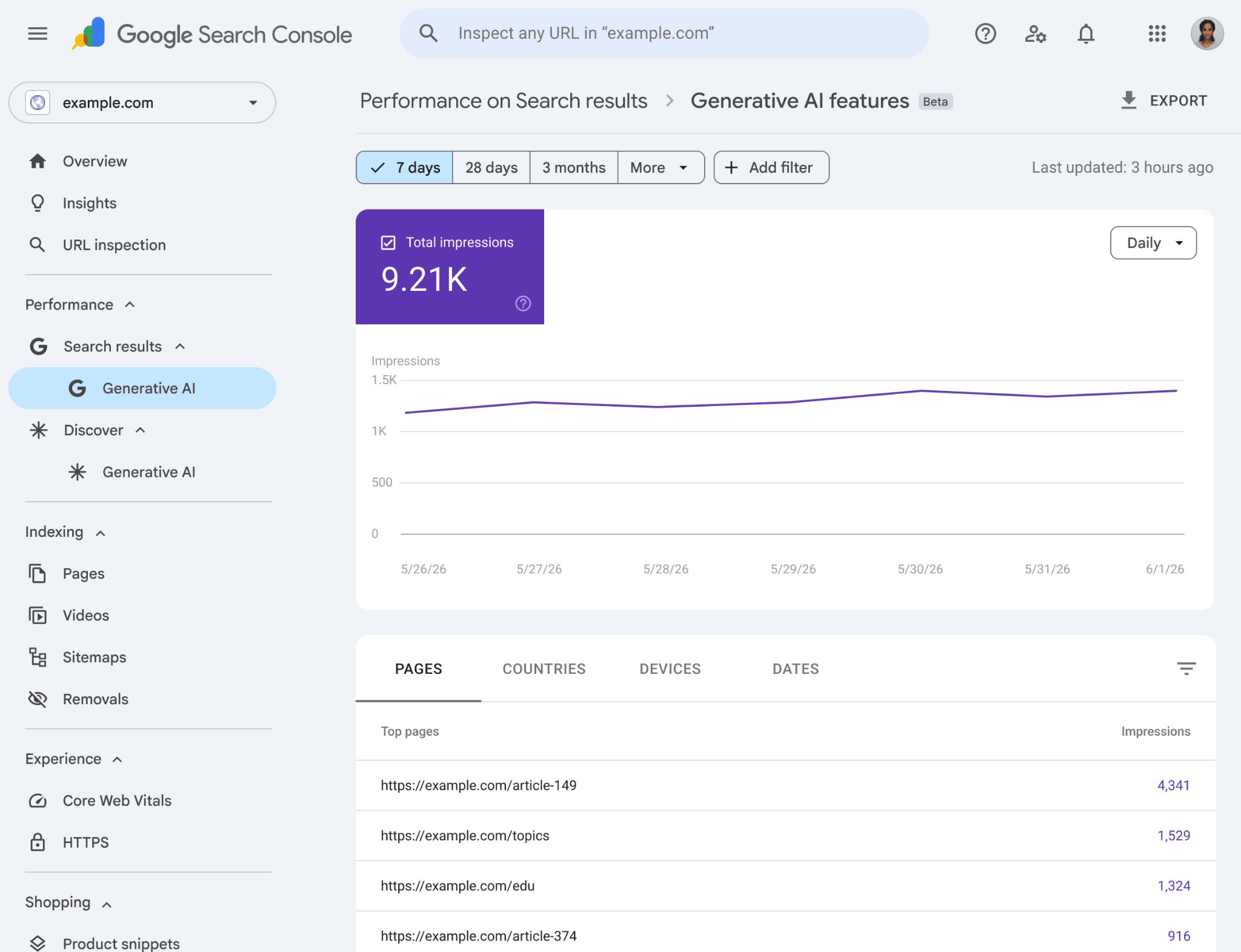
Portions of this page are reproduced from work created and shared by Google and used according to terms described in the Creative Commons 4.0 Attribution License. Image: Google, Search Central Blog, "Introducing Search Generative AI performance reports in Search Console", accessed for this Guide. https://developers.google.com/search/blog/2026/06/gen-ai-performance-reports
Do not panic if the report is missing. Google gives two common reasons (Help):
- Too few impressions. Your links have not been shown in AI features often enough for a report.
- Your site is excluded. Someone set Settings > Search generative AI to Exclude (see the opt-out section below).
Missing the report is not evidence that your site is deindexed. Owners, full users, and restricted users can view Performance reports; only owners can change settings. If you just switched Include back on, give the control time to take effect before expecting impressions to return.
What each metric and view means
There is one metric: impressions. Google defines it as how many times links to your site were shown to a user in a generative AI feature on Google Search (Help). Methodology for how impressions are counted in Performance reports is documented separately (Impressions Help).
| Metric or view | Meaning | Common mistake |
|---|---|---|
| Impressions | Links to your site shown in AI Overviews or AI Mode | Treating an impression as a click or a recommendation score |
| Pages | Final URL after redirects; mostly credited to the canonical | Expecting every duplicate URL to get its own credit |
| Countries | Where the search originated | Comparing countries without checking volume floors |
| Devices | Desktop, tablet, mobile (Search report) | Assuming Discover Gen AI uses the same device breakdown |
| Dates | Pacific Time; day / week / month; blog also mentions hourly | Aligning PT dates blindly with other analytics time zones |
| Web: text-based | Text queries entered in the standard search bar | Ignoring multimodal volume when Lens traffic matters |
| Web: multimodal | Image-origin searches (Lens, Circle to Search, uploads, Chrome image search) | Assuming multimodal is "not Search" |
| Chart vs table | Chart aggregates by property (two links in one answer = one chart impression); page table aggregates by page | Panicking when chart and table totals differ |
| Preliminary data | Newest chart points (dotted line) can still change | Freezing early-day totals as final |
| Export button | Downloads chart and table data; ~ and - become 0 in the file | Reading export zeros as proven zero impressions |
| Labs | Search Labs experiments are excluded | Expecting experiment traffic in this report |
How to read the numbers without fooling yourself
The chart and the table can disagree for good reasons. Chart data aggregates by property. Table data grouped by page aggregates by page. Neither is "wrong" (Help).
The newest data is preliminary. The dotted line on the chart can still change. The usual Performance report row limits (including the 1,000-row table limit) also apply.
Exports turn "~" and "-" into 0. A 0 in your spreadsheet may mean "too few to show," not "none."
An impression means a link was shown. It does not mean anyone read it, clicked it, or acted on it. It does not mean Google recommended your brand by name. For the difference between a link being shown and your brand being named, see what counts as AI visibility.
Canonical assignment matters. Google mostly credits the canonical page, not every duplicate URL. If you compare page tables to your CMS URL list, expect consolidation onto preferred URLs.
Do not double-count. Generative AI impression data is already in overall / Web Performance totals (Blog, Help, AI features docs). Keep the dedicated report as a slice view, not an additive KPI. A rising Generative AI line with a flat Web total can still be real if other Web impressions fell; a rising Generative AI line that you then add on top of Web totals is double-counting.
The opt-out toggle, briefly
Google documents a control at Settings > Search generative AI (Help; direct settings link):
- Include my site's links and content (default for all properties).
- Exclude my site's links and content from Search generative AI features (AI Overviews, AI Mode, and Discover generative AI). The report goes empty too.
- Inherit control from parent (default when a parent property exists).
Two things it is not. Google says it is not a ranking or inclusion signal for other parts of Search. And it does not control AI training; that is Google-Extended's job in robots.txt. For how packaging and eligibility fit together, see how to rank in AI Overviews. Google says exclusion takes effect about 1-2 days after the control goes live, and some content takes longer (same Help).
How it differs from click analytics and crawler tests
Different jobs:
| Surface | What it answers |
|---|---|
| This Generative AI report | Whether Google showed links to your site in AI Overviews / AI Mode (impressions) |
| GA4 / ChatGPT UTM | Whether some AI-assistant clicks reached your site (measure hub) |
| Crawler / access Guides | Whether bots and fetchers can reach the page (what stops AI crawlers) |
This report covers only Google's AI features, and only links that were shown. It says nothing about ChatGPT or Perplexity answers. Click analytics and access tests answer different questions; do not treat any one of them as a full "AI traffic" score.
Read the report next to your ordinary Web Performance view when you need context, not as a second total to add. Use GA4 when you need click-side evidence that a visitor arrived. Use crawler Guides when the question is whether a bot can reach the page at all.
If Google AI impressions are falling, a practical order of checks is: access and render (what stops AI crawlers, server-rendered main content), then indexable / snippet-eligible pages, then content that answers the sub-questions buyers ask (how to rank in AI Overviews). New to the framing? Start with what AI visibility is.
Limits
- No dedicated AI clicks, CTR, position, or queries in this report. Google says it may add metrics over time (Blog).
- No Search Labs experiments.
- Google only. It tells you nothing about other AI agents.
- Links only. If an AI answer names your brand without a link, it will not show up here.
- Small sites may get no report at all when volume is low.
- Pacific Time dates may not line up with your other analytics.
- UI export is documented; Search Analytics API / BigQuery exposure of this report is not confirmed in Help fetched for this Guide, so this Guide does not claim API or BigQuery parity.
- Chart and table totals can differ because of aggregation rules; that discrepancy is documented behaviour, not a broken property.
For ChatGPT clicks and Bing's AI data, see how to measure AI traffic.
FAQ
Why don't I see the Generative AI report?
Either your site has too few impressions in AI features, or it is excluded under Settings > Search generative AI. Missing the report does not mean your site is deindexed.
Does it show clicks or the questions people asked?
No. It shows impressions, broken down by page, country, device, and date.
Are these impressions on top of my normal Performance numbers?
No. Google says the same data is already in the overall Performance / Web report. Do not add them together.
Will excluding my site hurt my normal rankings?
Google says the control is not used as a ranking or inclusion signal for other parts of Search. Your pages stop showing in those AI features, so the report has nothing to count.
What do Web: text-based and Web: multimodal mean?
They are search-type filters on the report. Web: text-based covers queries typed into the standard search bar. Web: multimodal covers image-origin searches such as Google Lens, Circle to Search on Android, uploaded images, and Chrome image search (Help).
Sources
Primary Google Help and Blog pages re-checked 19 Nov 2026 (Asia/Shanghai).
- Generative AI performance report (Search)
- Introducing Search Generative AI performance reports (3 Jun 2026)
- Search generative AI control
- AI features and your website
- Impressions, clicks, and position
- Generative AI performance report (Discover) (sibling; out of scope one-liner only)
- Hub Guide: How to measure AI traffic
Portions of this page are reproduced from work created and shared by Google and used according to terms described in the Creative Commons 4.0 Attribution License.